Need help? Reach us at 

 +1 (855) 418-2323
Need help? Reach us at
+1 (855) 418-2323

 File Converters TIFF and PDF apps Forensic Freeware
1) Upload DOCX file to convert
Drop files here, or Click to select
Allowed file types: one, docx, doc, wbk, rtf, rvf, odt, abw, txt, dotx, docm, hwp, wpd, wps, tmd
2) Set converting DOCX to JPG options
3) Get converted file
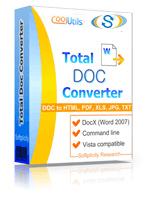
 Total Doc Converter
 Total Doc Converter supports DocX (the format of Word 2007 documents). Installed this free Microsoft Office Compatibility Pack to convert DocX files to HTML, PDF, XLS, JPG, TIFF, TXT with Total Doc Converter.Total Doc Converter converts Doc to PDF and allows you to add a digital signature to the final document.Convert and combine several documents into one multi-page file (PDF, DOC, TIFF or a very long TXT file). All done in one go!Total Doc Converter can convert Word 2010 to Word 2003 if you need a file compatible with older Microsoft Word.Have an outdated Microsoft Office 2003? Update all your old files to the new format in one go. Convert Doc files to DocX with our Total Doc Converter.Total Doc Converter allows setting your default font for text files.Total Doc Converter can print out, fax to send to OneNote any file you select. It will also create detailed reports on your Doc files in PDF, XLS, CSV, TXT formats. It's the esiest way to learn how many files you have and their parameters.Total Doc Converter has a clear, easy-to-follow interface. You won't get lost in settings!The widest list of supported file types: convert Word, Doc, DocX, DocM, RTF, RVF, or TXT files to RTF, DOCX, XLS, JPEG, PNG, TIFF, HTML, XHTML, PDF, TXT in a batch mode. It's a powerful all-in-one doc converter!Total Doc Converter supports several types of compression for TIFF. If you are at a loss the program will automatically choose the best value. Every document is displayed in Preview panel. You can zoom it or view the document full-sized. Use preview option to quickly find a file.Add your logo or any other image to the header or the footer of the output file.Do you want more order? Total Doc Converter will add page counters or a date to every page of the output files. The app is great for stamping legal bates too!Total Doc Converter can copy original time stamps if you want to keep them.Total Doc Converter offers a lot of additional settings for Doc to PDF conversions. Set user permissions, password-protect your files or sign with a digital signature. Get PDF, PDF/A and non-searchable PDFs.Total Doc Converter can be run via command line (get the ready-to-use command line from GUI).
💾 Upload Your File: Go to the site, click on «Upload File,» and select your DOCX file.
✍️ Set Conversion Options: Choose JPG as the output format and adjust any additional options if needed.
Convert and Download: Click 👉«Download Converted File»👈 to get your JPG file.




| File extension | .DOCX |
| Category | Document File |
| Description | DOCX is an MS Office text format of new generation (starting from 2007 versions). It is a more open, more standardized version that allows various apps get easier access to data stored in Word files. DOCX files are lighter in size than DOC analogues due to a new, XML-based file structure. As opposite to DOC, a corrupted DOCX file still can be opened, and undamaged data still can be read and edited. Older Word versions can work with DOCX, if a free compatibility pack is installed and setup. |
| Associated programs | Microsoft Word 2007 Microsoft Word 2008 (MAC) OxygenOffice Professional (Linux) Word 2010 |
| Developed by | Microsoft |
| MIME type | application/vnd.openxmlformats-officedocument.wordprocessingml.document |
| Useful links | |
| Conversion type | DOCX to JPG |
| File extension | .JPG, .JPEG, .JPE, .JFIF, .JFI |
| Category | Image File |
| Description | JPG is the file format for images made by digital cameras and spread throughout the world wide web. Saving in JPG format an image loses its quality, because of the size compression. But at the end you have a much smaller file easy to archive, send, and publish in the web. These are the cases when an image's size matters more than image's quality. Nonetheless, by using professional software you can select the compression degree and so affect the image's quality. |
| Associated programs | |
| Developed by | The JPEG Committee |
| MIME type | |
| Useful links | More detailed information on JPG files |
 2026-01-27
 2026-04-142026-05-21
Word documents are editable by anyone who opens them. Converting DOCX to JPG produces a locked image of each page — impossible to edit, copy-paste, or extract text from. Use it for certificates, contracts shared on social media, document previews in web apps, or any situation where you need a visual snapshot of a Word page.
DOCX is Microsoft Word's Open XML format, the default for Word documents since Office 2007. It is a ZIP archive containing XML files that encode text, formatting, styles, images, headers, footers, and embedded objects. DOCX is the most widely used word processing format in business and academia, supported by Word, LibreOffice, Google Docs, and Apple Pages — but it remains an editable format subject to accidental or intentional modification.
JPG (JPEG) is the standard compressed image format, supported universally by every operating system, browser, social media platform, CMS, and image viewer. A JPG snapshot of a document page is non-editable and renders identically everywhere. It is the right format for sharing document pages on social media, embedding them in websites, using them as preview thumbnails, or displaying them as non-modifiable visual content.
| Feature | Online (this page) | Total Doc Converter (desktop) |
|---|---|---|
| Batch conversion | ✓ Single file | ✓ Entire folders, recursive |
| File size limit | Up to 50 MB | No limit |
| DPI / resolution control | ✗ | ✓ 72–600 DPI selectable |
| JPG quality control | ✗ | ✓ 1–100% quality selectable |
| Automation / scripting | ✗ | ✓ Command-line, .bat, Task Scheduler |
| Files stay local | ✗ | ✓ No upload required |
| Price | Free | From $29.90 |
Batch CLI example: TotalDocConvertor.exe C:\docx_files C:\jpg_out /ConvertTo jpg /ProcessRecursively
| Feature | Online Converters | CoolUtils Desktop | WinWord Built-in | Other Software |
|---|---|---|---|---|
| Batch Conversion | Limited | ✅ Unlimited | Manual only | Limited |
| File Size Limit | 1-5MB | ✅ No limits | System dependent | Varies |
| Privacy & Security | Upload required | ✅ 100% offline | ✅ Local only | Varies |
| Conversion Speed | Internet dependent | ✅ Fast local processing | Slow | Medium |
| Advanced Options | Basic | ✅ Full customization | Limited | Basic |
| Cost | Free/Premium | One-time purchase | Requires Office | Subscription |
| Formatting Preservation | Good | ✅ Excellent | Good | Varies |
| Multiple Formats Support | Limited | ✅ 40+ formats | Few formats | Limited |
