Need help? Reach us at 

 +1 (855) 418-2323
Need help? Reach us at
+1 (855) 418-2323

 File Converters TIFF and PDF apps Forensic Freeware
1) Upload AAC file to convert
Drop files here, or Click to select
2) Set converting AAC to MP4 options
3) Get converted file
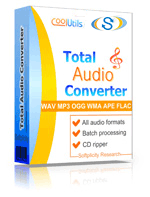
 Total Audio Converter
 Total Audio Converter supports WAV, MP3, OGG, WMA, APE, FLAC, MP4, AAC, MPC and many other rare image file types files (complete list).Rip CDs to WAV, FLAC, OGG, MP3, AAC, WMA, MPC, APE and other formats with Total Audio Converter!No tech knowledge required. Intuitive interface makes it easy for everybody to be the master of audio conversions. If you do not know what bit rate or frequency to choose the wizard of the program will automatically set the most appropriate.What to combine tracks into one audio file? Total Audio Converter can do that too!Convert MP3, WAV, AAC and many other files in seconds via our foolproof interface with lots of hints for beginners.CNet editor's review: TAC is reasonably attractive and plenty powerful to justify its $20 price.Total Audio Converter converts a lot of rare audio file types like NIST, AU, TTA, MOD, MIDI, XM, PAF, SPX audios.Total Audio Converter can split FLAC and APE files by CUE (split CUE-based FLAC, split CUE-based APE).Price. No hidden costs! Our pricing is clear and concise. Once paid you get all the upgrades for free. Tech support is also free to registered users (sure we will answer all your questions even if you are using trial version of Total Audio Converter).Total Audio Converter can get audio tracks from YouTube videos - just paste the url.Total Audio Converter can be run via command line (get the ready-to-use command line from GUI settings).Softonic Editor: Total Audio Converter is an easy-to-use tool conversion tool with support for a bunch of formats and ability to rip audio CDs.
💾 Upload Your File: Go to the site, click on «Upload File,» and select your AAC file.
✍️ Set Conversion Options: Choose MP4 as the output format and adjust any additional options if needed.
Convert and Download: Click 👉«Download Converted File»👈 to get your MP4 file.




| File extension | .AAC |
| Category | Audio File |
| Description | AAC utilizes lossy compression algo that is now considered as the best data zipping technology for high-quality audio data. This is the last standard of MPEG-2 family. There are 4 types of AAC: HomeboyAAC, Liquifier PRO AAC, AT&T AAC and Astrid/QhartexAAC. The last one surpasses MP4 and VQF formats in terms of size-quality ratio, especially on frequencies higher than 16 kHc. It supports up to 48 channels. Each AAC modification uses its own software for playback and coding sound. |
| Associated programs | KMPlayer RealPlayer VideoLAN VLC Media Player Windows Media Player iTunes |
| Developed by | A combination of Fraunhofer IIS, AT&T Bell Laboratories, Dolby and Sony Corporation |
| MIME type | audio/aac |
| Useful links | More detailed information on AAC files |
| Conversion type | AAC to MP4 |
| File extension | .MP4 |
| Category | Audio File |
| Description | MP4 files can contain video and sound data. It is a file container that supports different multimedia content types such as multiple audio streams, subtitles, 2D and 3D image frames. MP4 is also used for streaming media services (online or digital TV). This file type supports the control of transmission speeds for media signal, as well as correcting corrupted frames. Thanks to comparatively low system requirements, MP4 is now the most popular container type for sharing media. |
| Associated programs | Apple QuickTime Player Apple iTunes Microsoft Windows Media Player VideoLAN VLC Media Player |
| Developed by | Moving Picture Experts Group |
| MIME type | |
| Useful links | More detailed information on MP4 files |
 2026-01-21
 2026-03-112026-05-16
A bare .aac file is just raw audio frames with no container — no chapter markers, no embedded cover art, no proper tag chunks. Wrapping the same audio in an MP4 container gives you a file that streams, tags, and plays cleanly in every modern video and audio app. Drop your .aac file above.
AAC (Advanced Audio Coding) is the MPEG lossy audio codec released around 1997 as the official successor to MP3. The .aac extension typically refers to ADTS (Audio Data Transport Stream) — a bare-bones format that wraps each AAC frame with a small header, but has no proper container, no metadata chunks, no chapter or stream info. Useful for streaming but limited for storage and playback.
MP4, formally MPEG-4 Part 14 (ISO/IEC 14496-14), is the standard container the MPEG group built to carry AAC audio, H.264 video, subtitles, and metadata in a single file. When used for audio only, MP4 files often use the .m4a extension. The container supports rich tags, embedded cover art, chapter markers, gapless playback, and seekable byte-range streaming. Native on every Apple device, Windows, Android, and modern browsers.
| Property | AAC (.aac / ADTS) | MP4 (.mp4 / .m4a) |
|---|---|---|
| Type | Raw audio stream | Full container |
| Standard | MPEG-2 / MPEG-4 ADTS | ISO/IEC 14496-14 |
| Year | 1997 | 2003 (current revision) |
| Audio codec | AAC | AAC (most common) |
| Tags / cover art | None / minimal | Full iTunes-style metadata |
| Chapter markers | No | Yes |
| Best for | Streaming, intermediate files | Distribution, libraries, audiobooks |
Batch-convert an entire folder without opening the interface:
TotalAudioConverter.exe C:\aac_files C:\mp4_out /ConvertTo mp4 /ProcessRecursively
Add /ProcessRecursively to include subfolders. Save the command in a .bat file for scheduled or automated runs.
| Feature | Online (this page) | Total Audio Converter (desktop) |
|---|---|---|
| File size limit | 50 MB | Unlimited |
| Batch conversion | One file at a time | Entire folders at once |
| Software install | None required | Windows 7–11 |
| Output options | Standard | Full control |
| Command-line | No | Yes |
| Privacy | File uploaded to server | Stays on your computer |
| Price | Free | From $29.90 |
